
Leadlaya finds the jobs worth your Connects, writes the proposal in your voice and suggests the bid. You read it, change anything you like, and send it only when you are happy with it.
For freelancers and agencies. Nothing is sent to a client until you confirm.
Features
Powerful features to elevate your business
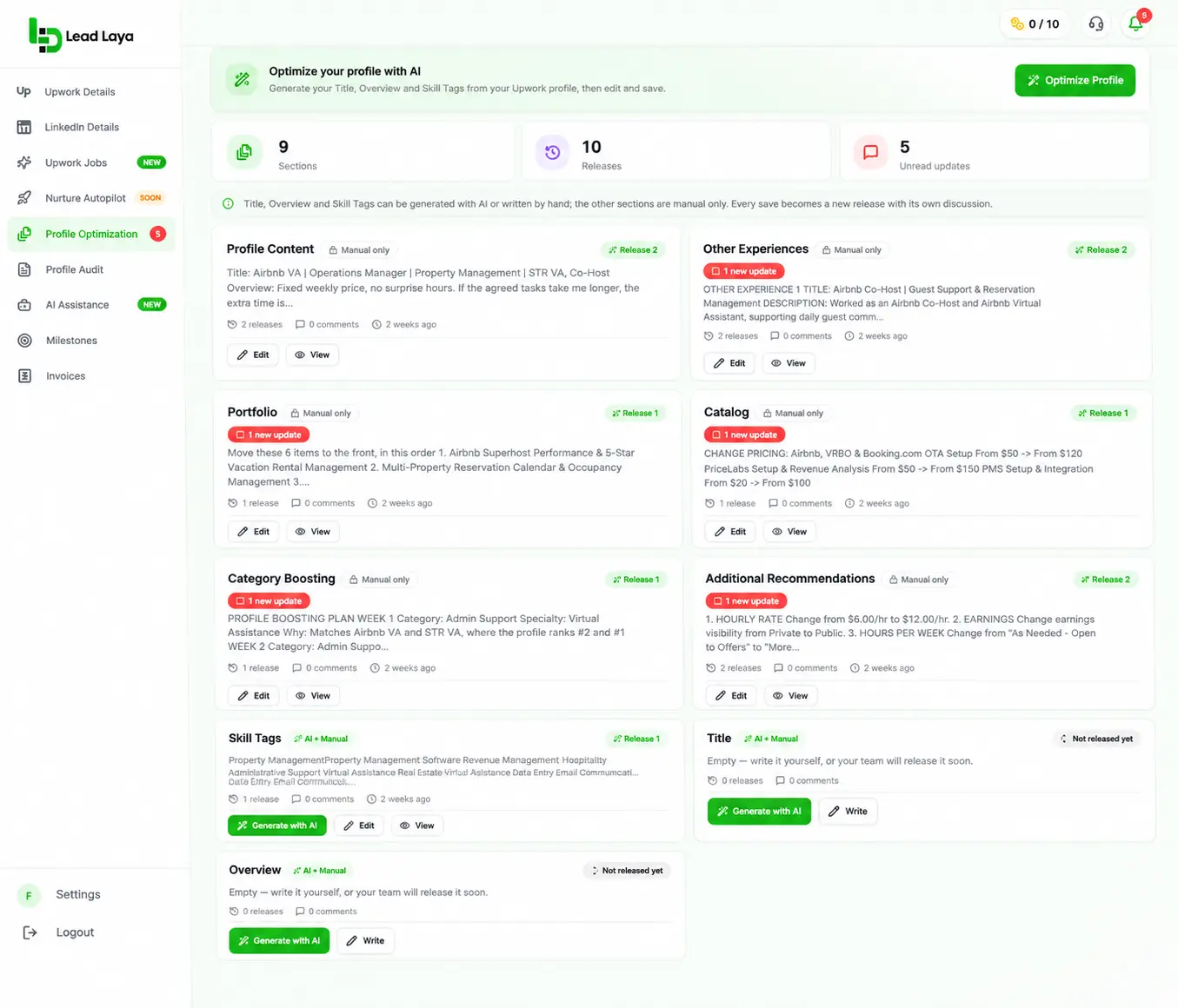
Profile Optimization
In a few clicks, Leadlaya writes keyword-optimized content for your profile title, description, overview and skills, so your profile is ready to back up every proposal.
Best Match Jobs
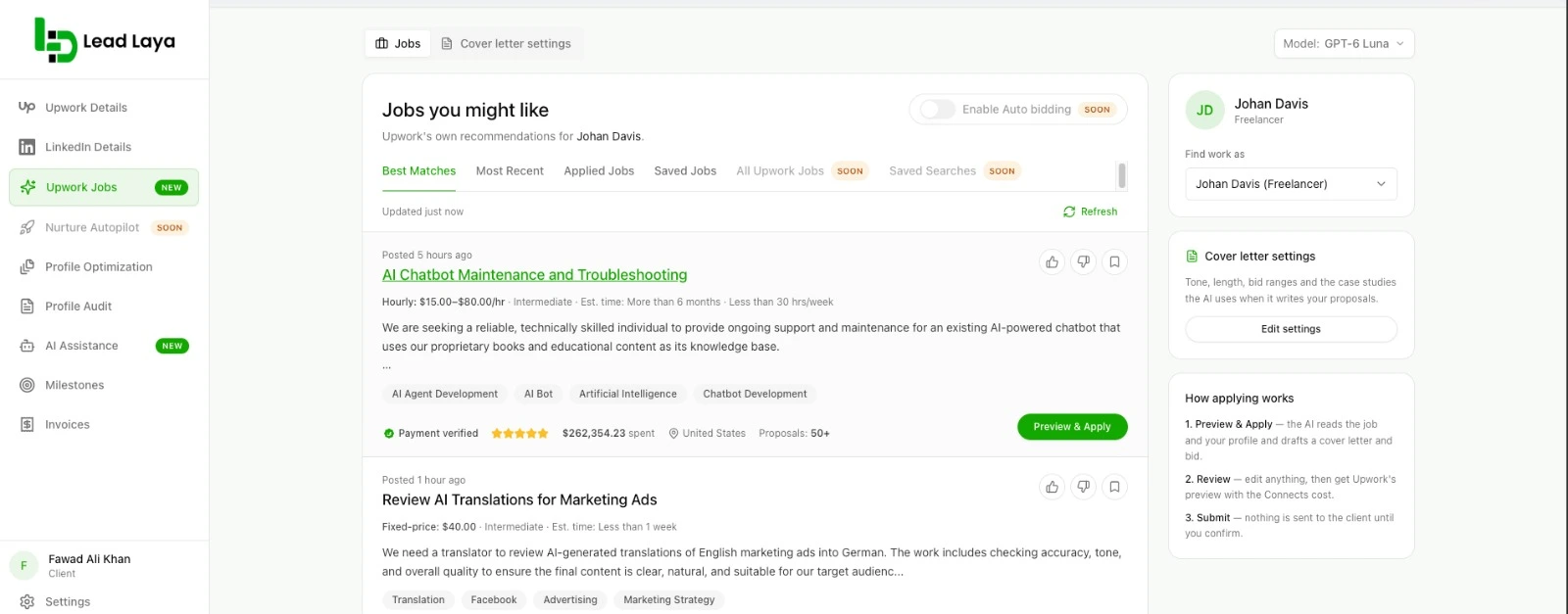
Leadlaya shows only the jobs where you have the highest chance of ranking, so your time and Connects go to work you can win.
Generate Cover Letters in One Click
Press Preview and Apply and get a draft for that specific job, in your voice, with the screening questions answered.
Your Proposal Dashboard
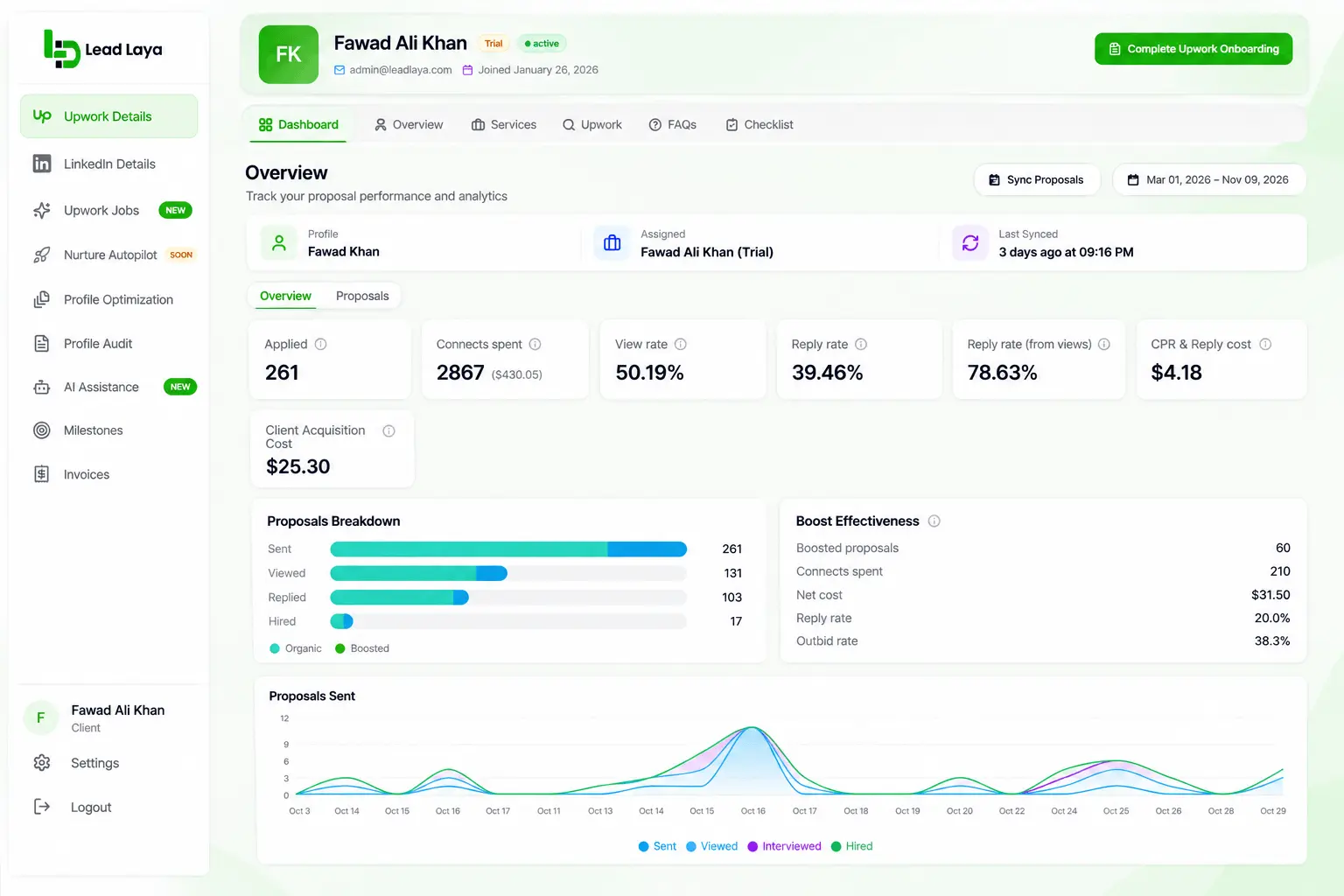
See your matched jobs, drafts waiting for review and sent proposals, with complete analytics, all in one place.
Lead Nurturing
Coming Soon
Auto Bidding
Coming Soon
The problem
Upwork is getting harder, and the old routine costs you more each month.
More freelancers compete for each posting. A good job can collect dozens of proposals within hours, Connects are spent whether or not the client ever replies, and the time you put into searching, reading and writing does not come back if a proposal is ignored.
Sound familiar?
You lose
Winning on Upwork now depends less on how many jobs you apply to.
It depends on how early you apply, how well the job fits you, and whether the proposal shows that you read the posting. Lead Laya is built around those three things, so each Connect you spend has its best chance.
How early
You reply while the posting is still fresh.
How well it fits
You spend Connects on work you could actually win.
Whether you read it
Your proposal answers what the client asked for.
The outcomes
What changes when proposals stop eating your day.
Apply to the right jobs, not all the jobs.
Your job feed is built from your own profile and skills, so what you see is work you could actually win. You scroll less and spend fewer Connects on long shots.
Be early, not just thorough.
New postings stay in front of you in a most recent view, and a proposal takes minutes to review instead of an hour to write. You can reply while the client is still reading their first applicants.
Proposals that sound like you and answer the job.
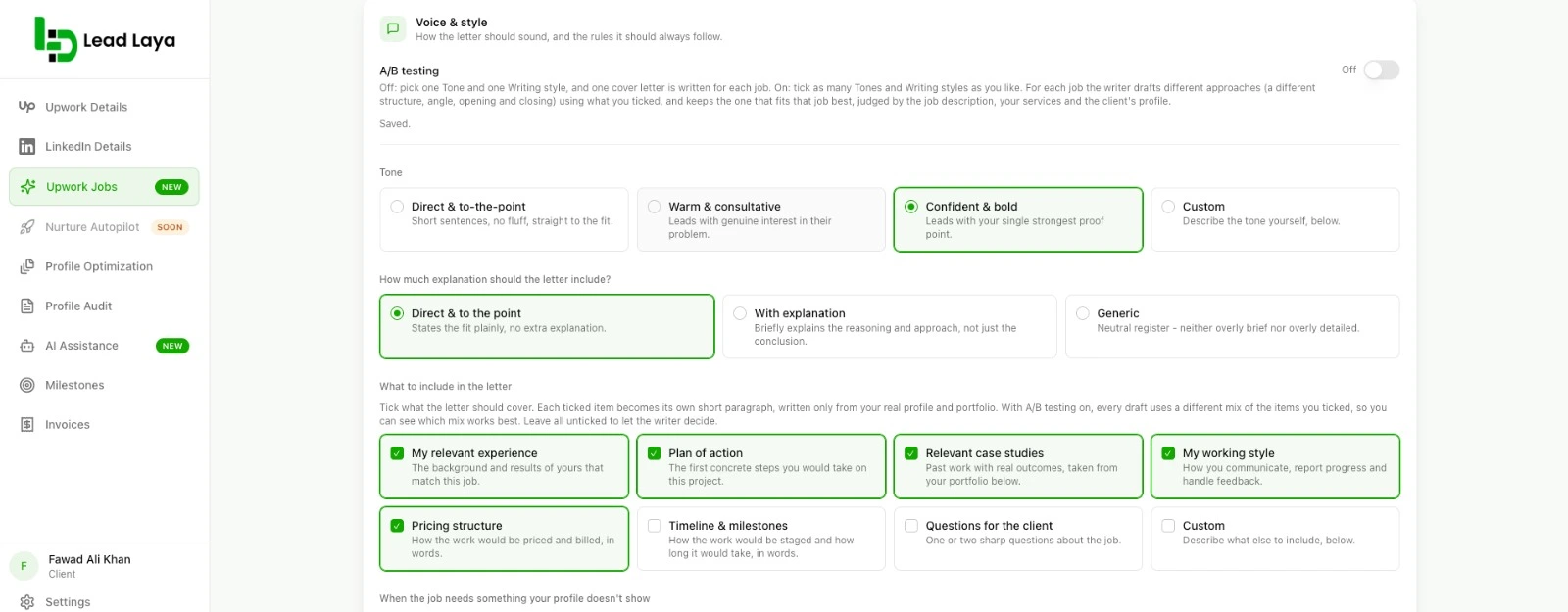
Choose how you sound, how long the proposal runs, how it opens and how it closes. Each one responds to what that client asked for, including the screening questions, so it reads like a person who read the posting.
Your best work shows up every time.
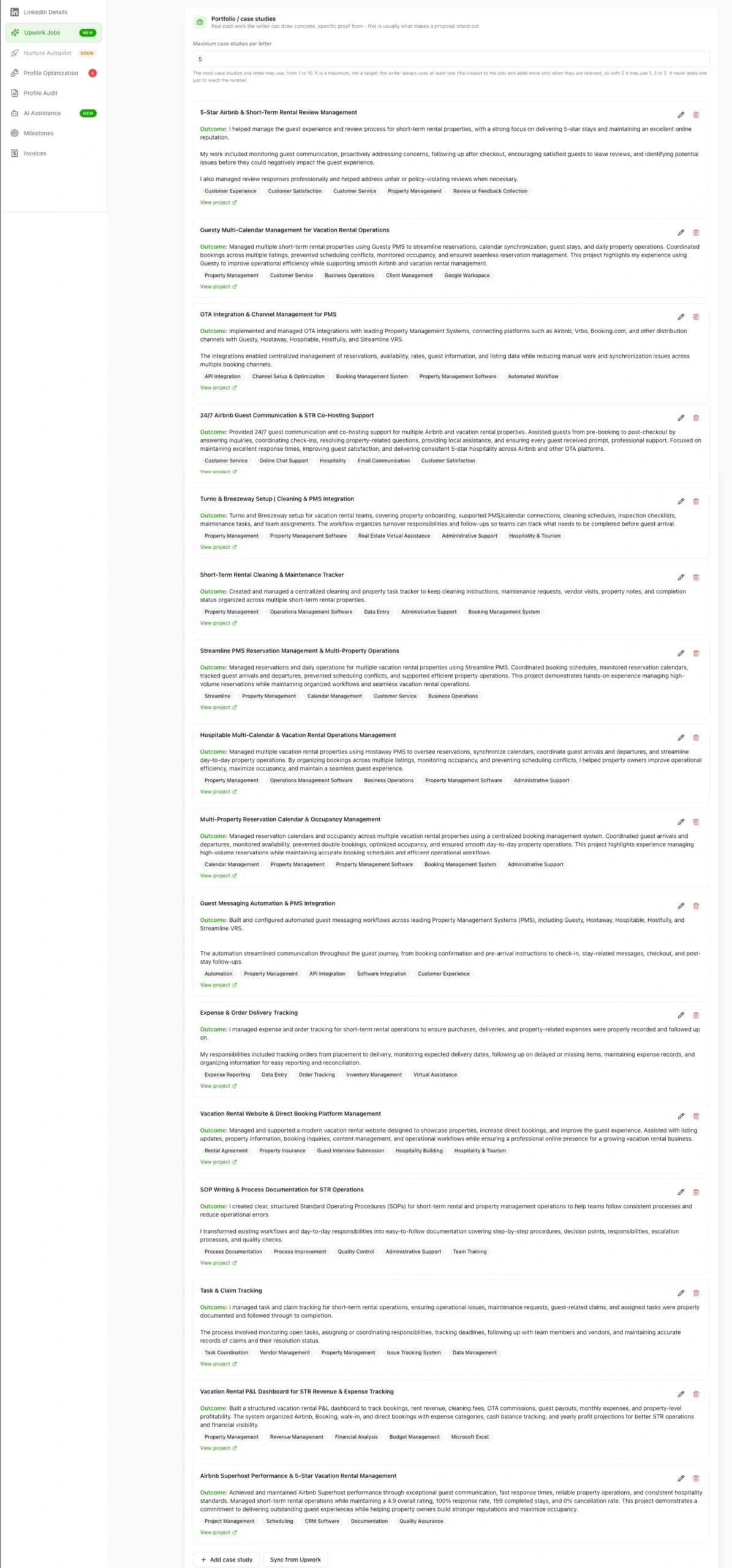
Your Upwork portfolio is brought in when you connect, and the projects that fit the job are mentioned where they help. You stop hunting for the right case study at the end of a long day.
A bid you can stand behind.
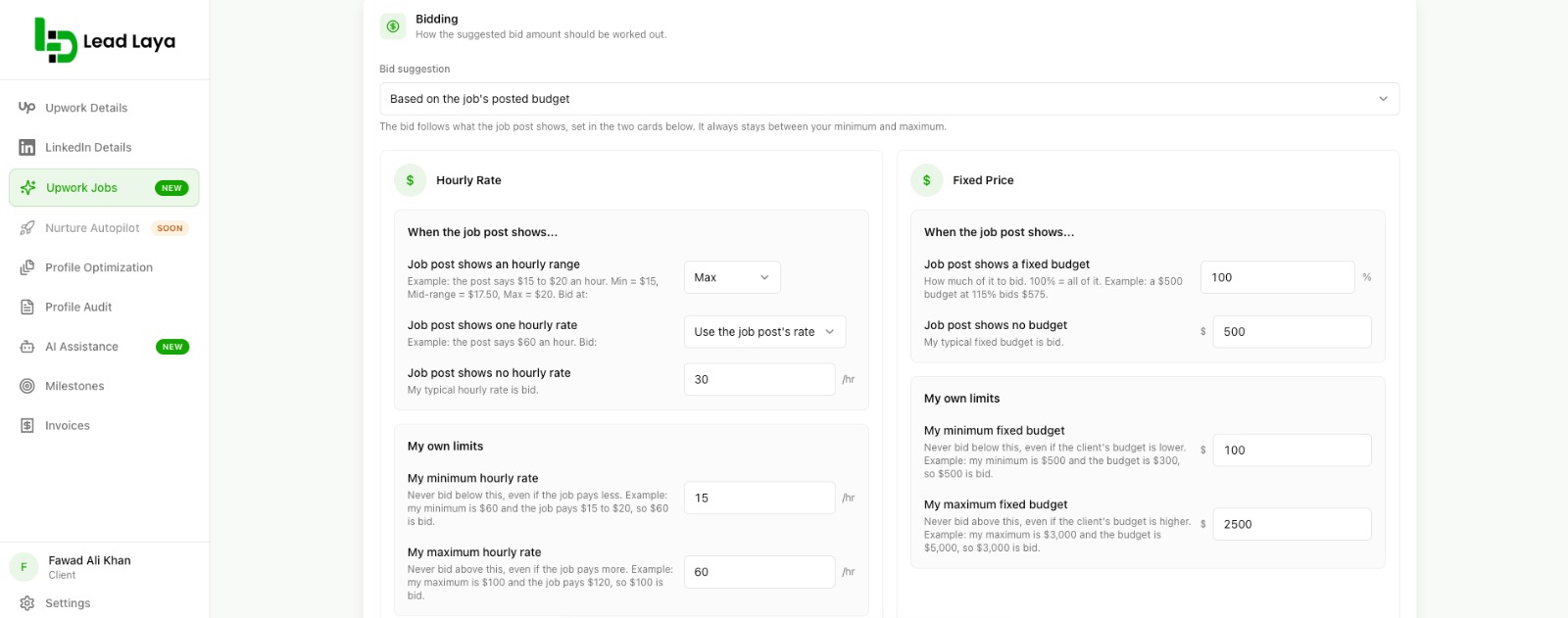
On fixed-price jobs the bid starts from the budget the client posted, and it never drops below the minimum you set. For hourly work you set your own range and the suggestion follows it. If you would rather set every bid yourself, you can.
Honest proposals, even when the job asks for more than you have.
Proposals use only what is on your profile, work history and portfolio. When a job needs something your profile does not show, you choose how the proposal handles it: say so plainly, say you can learn it, or stay positive and speak to the strengths you do have.
Full control, every time.
You see the proposal, the bid and the Connects cost before anything is sent. You can edit every word. Nothing reaches the client until you confirm.
A profile that backs up your proposal.
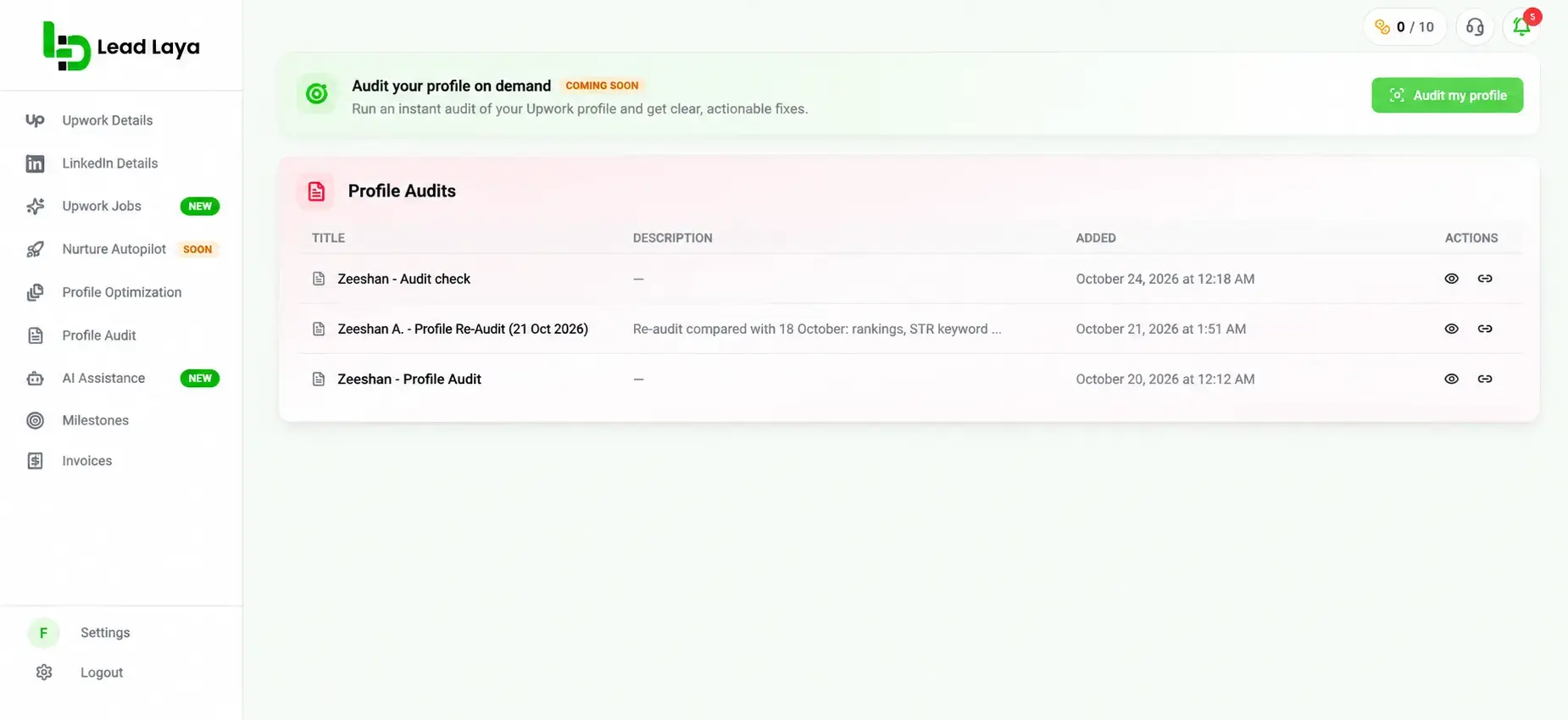
Clients open your profile right after they read your proposal. Leadlaya reviews your profile and helps keep it consistent, so the first page they land on supports what you just told them.
How It Works
From open job to sent proposal in three steps.
01
Connect your Upwork account
Sign in through Upwork. Lead Laya reads your profile, skills and portfolio so it knows who is applying. Your portfolio comes across automatically the first time you connect.
02
Pick a job and press Preview and Apply
Leadlaya reads the posting and your profile, then drafts the proposal, the screening answers and a suggested bid.
03
Review, edit and send
Upwork's own preview shows the Connects cost. Change what you want, then confirm. That is the only moment anything is sent.
Inside the app
Side by side
What you need to do
The usual way
With Leadlaya
FAQs
Before you ask
For freelancers and agencies. You approve every proposal.